everyday

UI/UX Design
Everyday Mood Log App
Objective
Would you change your habits if you had evidence it would lead to better days?
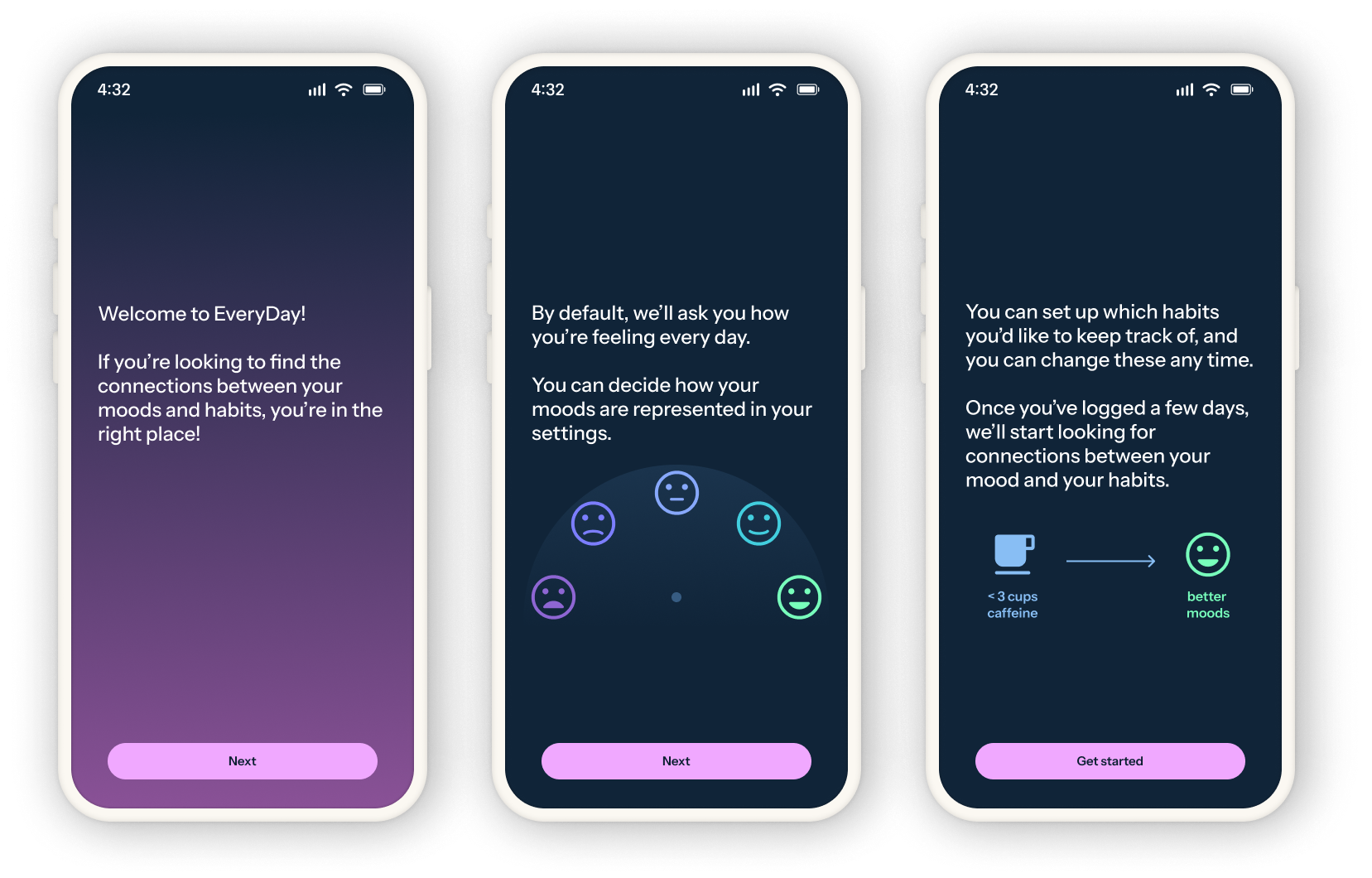
Everyday is a mood log app exploration focused on understanding the impact of our habits and how they can be leveraged them to build better days. While this is a personal project, the design and strategy are informed by several rounds of user research and my years of professional experience in healthcare.
Work
Personal project
Date
2020–2026
My role
UX design
User research
Design system
Original concept
This idea came to me while I was working toward my Bachelor's degree, and it started not as an app, but a spreadsheet. Curious if there were any patterns to be found between my habits (particularly my college student sleep schedule) and mood, I logged both for several months in Excel, building charts and tables to assess the connections.
Seeing the data empowered me to build healthier habits and I was able to meaningfully raise my average mood over the months I maintained the log. The spreadsheet did become tedious, of course, and I eventually stopped logging my days because of that, but the value of the experience made a lasting impression.
Initial research
The first round of discovery was conducted with college-age adults to understand what UX patterns help with habit-forming and what types of habits people anticipated wanting to track.
The biggest learning from this research was that people have needs and preferences that vary widely when it comes to using a habit-tracking app. When asked what time of day they were most likely to use a habit/mood app, participant responses were split between morning, evening, and throughout the day. Which habits participants wanted to track varied even further.
Despite those differences, a few common themes did emerge from this initial research. Participants agreed the logging experience needed to feel quick and easy, and most people said some indication of a "streak" is motivating when trying to form a new habit.
Approachable habits
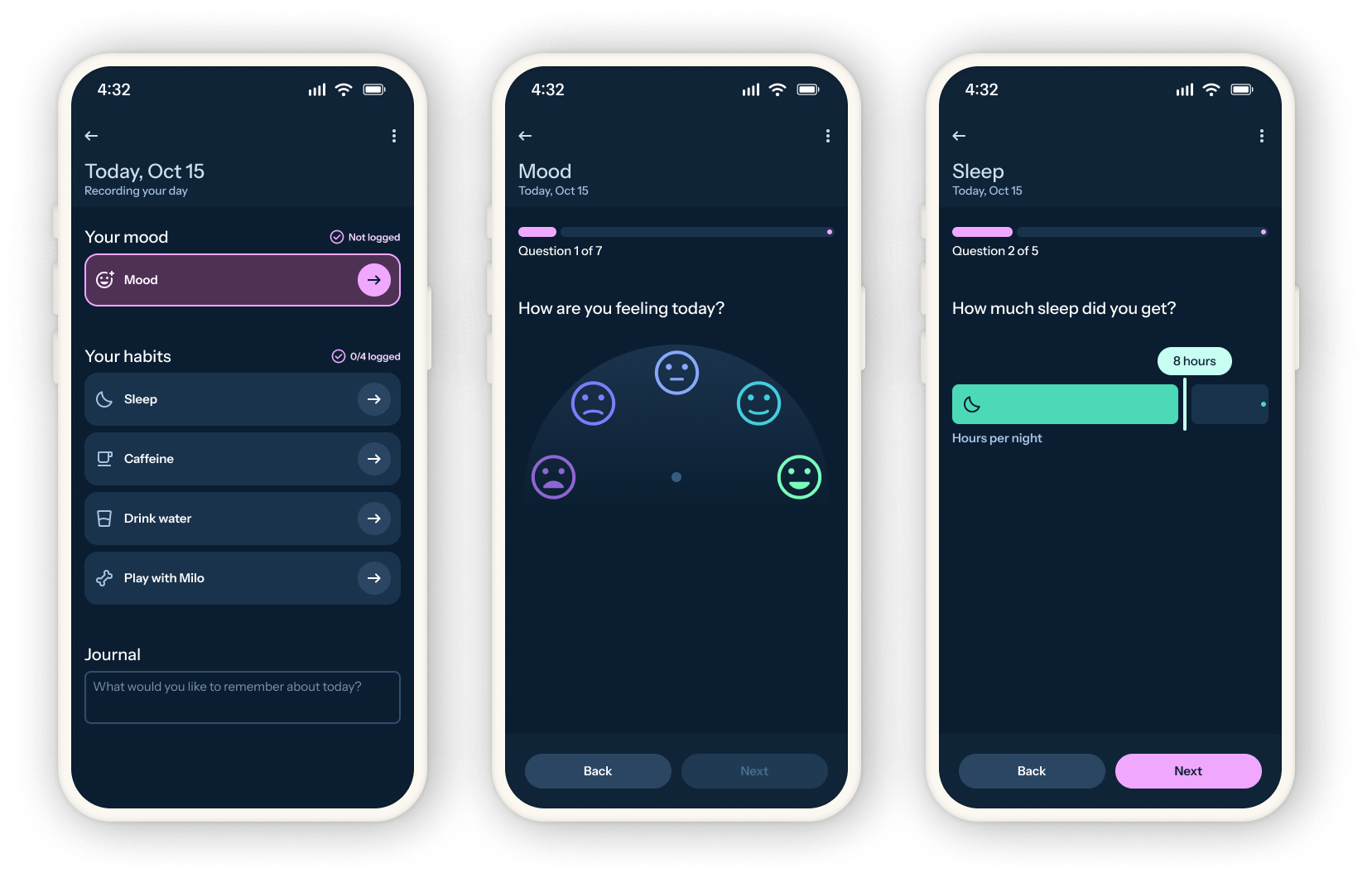
To keep the logging experience from feeling burdensome, most entries can be done with a single gesture, either a swipe or a tap. This also pushed the visual and motion design to be simple and easily scanned.
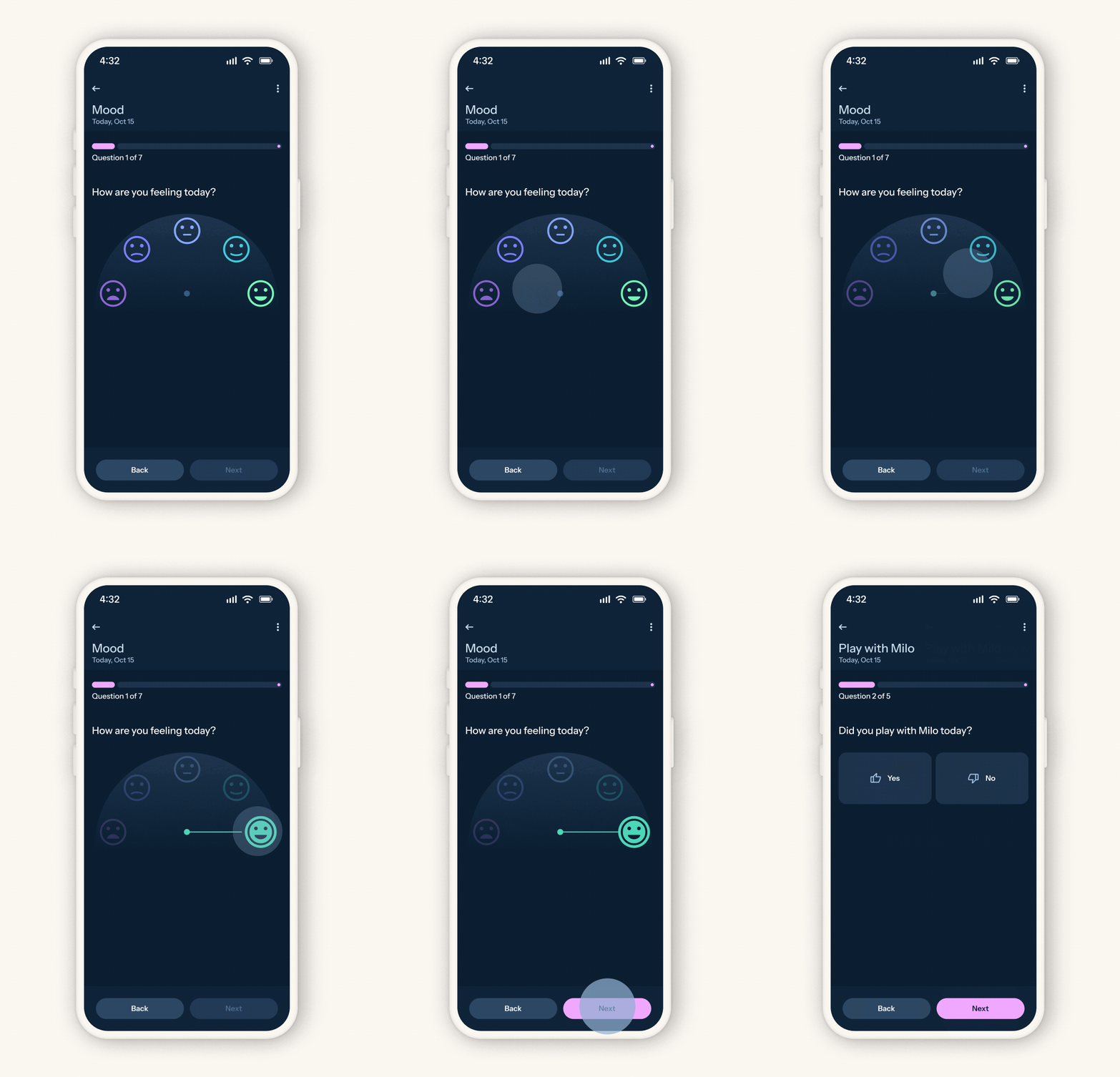
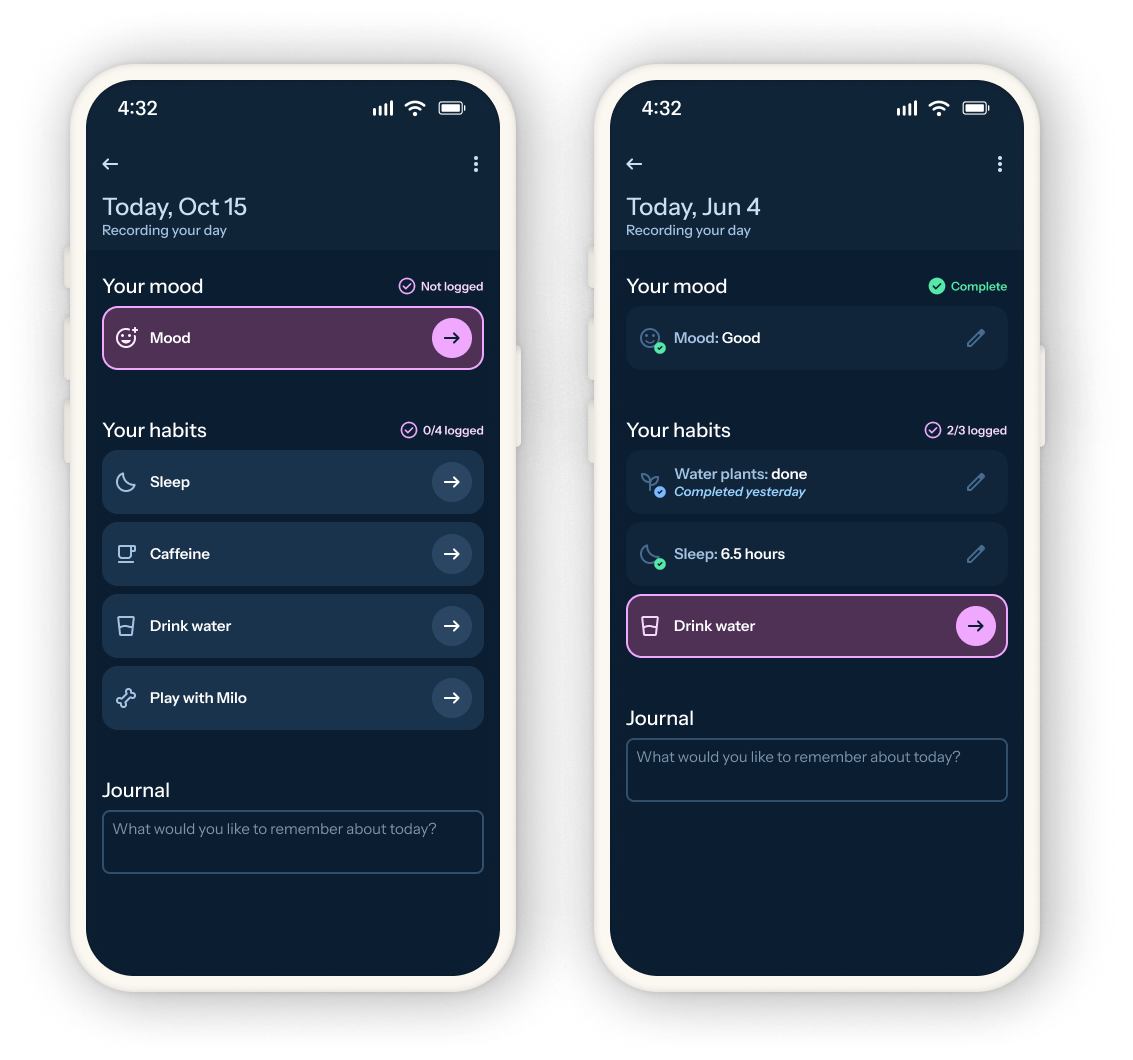
Users can log the entire day all at once, or work on it throughout the day. The daily log overview page shows people which items have been recorded, and which information is missing.
Flexible & personalized
Given the participants' diverse needs, it was clear habit tracking needed to be flexible and support more habits than could be manually built for. To allow for this in the design, several high-level "logging patterns" were developed for anticipated use cases and potential user-led modifications.
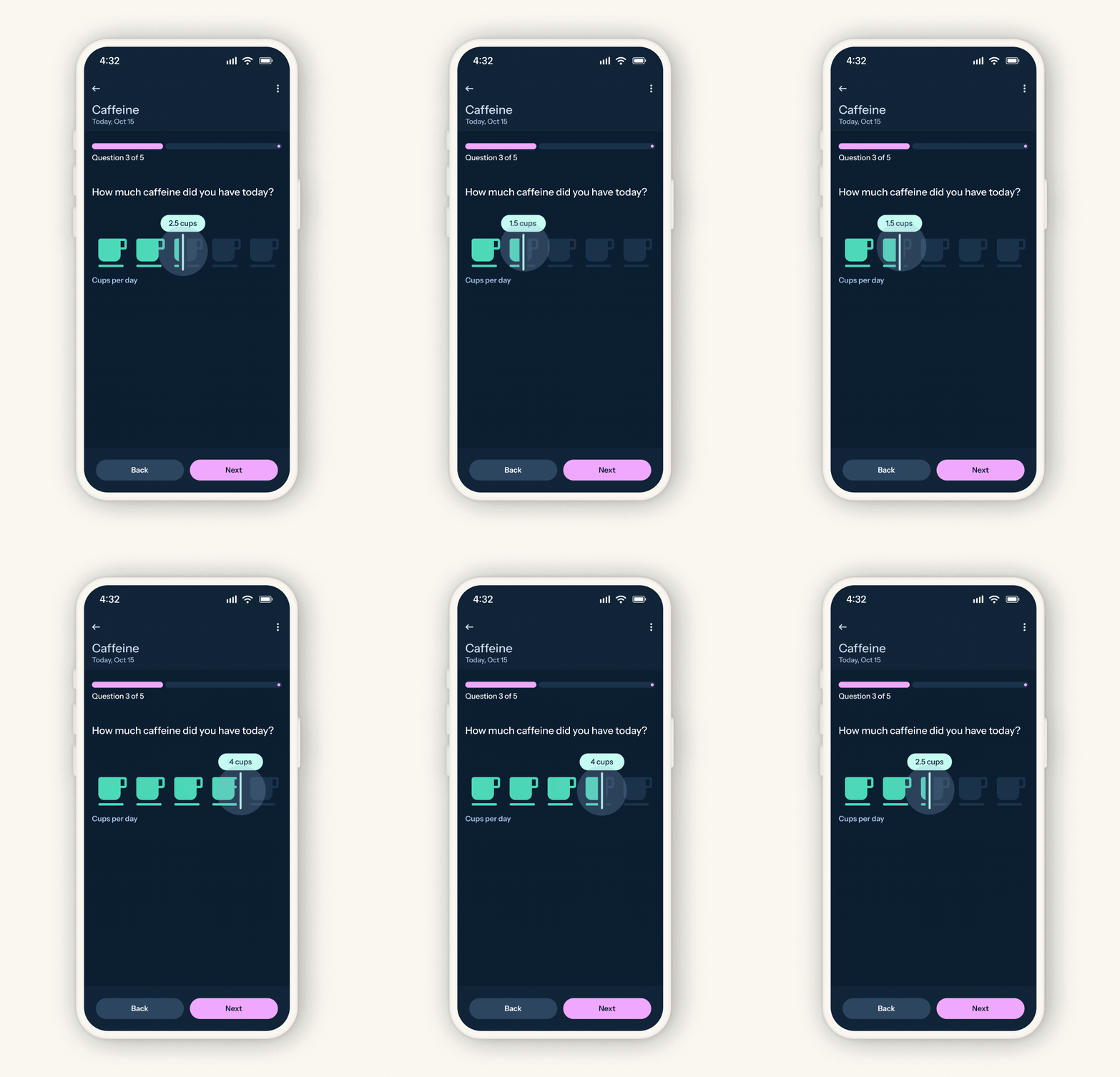
Low-quantity pattern
For habits dealing with low quantities (for example, cups of coffee), a creative icon-based slider allowed for quick visual differentiation and a UI that more easily matches the potential physical behavior being logged.
High-quantity pattern
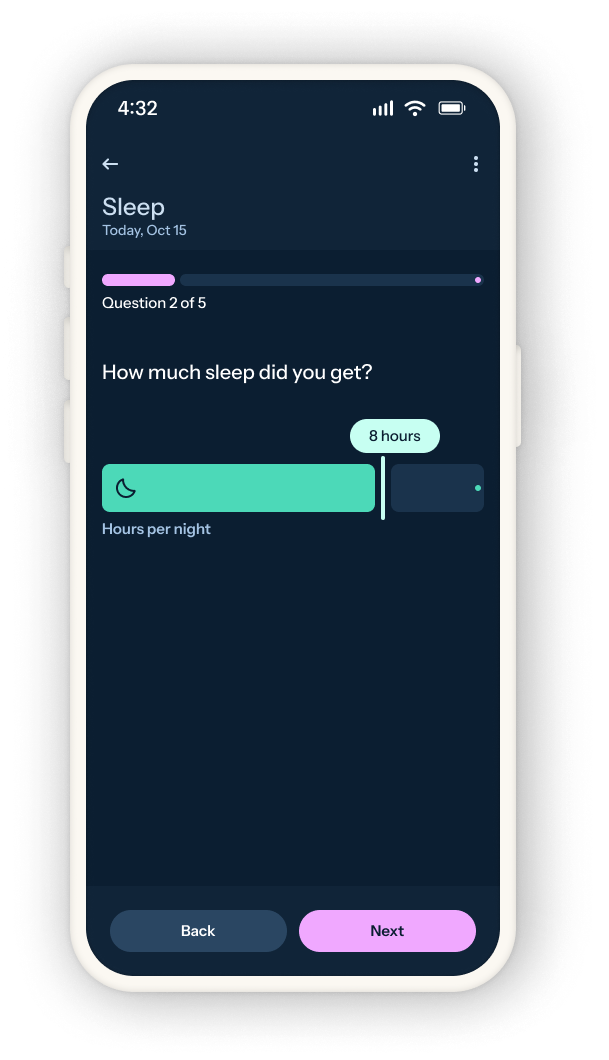
For larger quantities an icon can still be used for scanning, but the slider is converted to a more conventional one. This pattern may work better for tracking habits like hours of sleep or assignments completed.
Time-based pattern
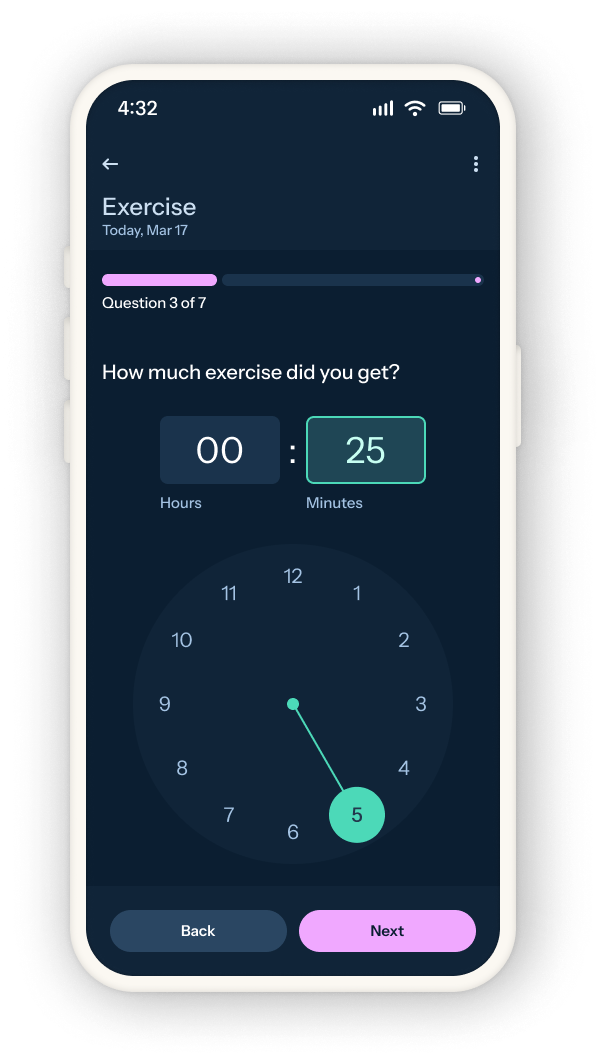
More granular time-based habits like exercise or breaks can use the Google Material-inspired clock selector.
Yes/no pattern
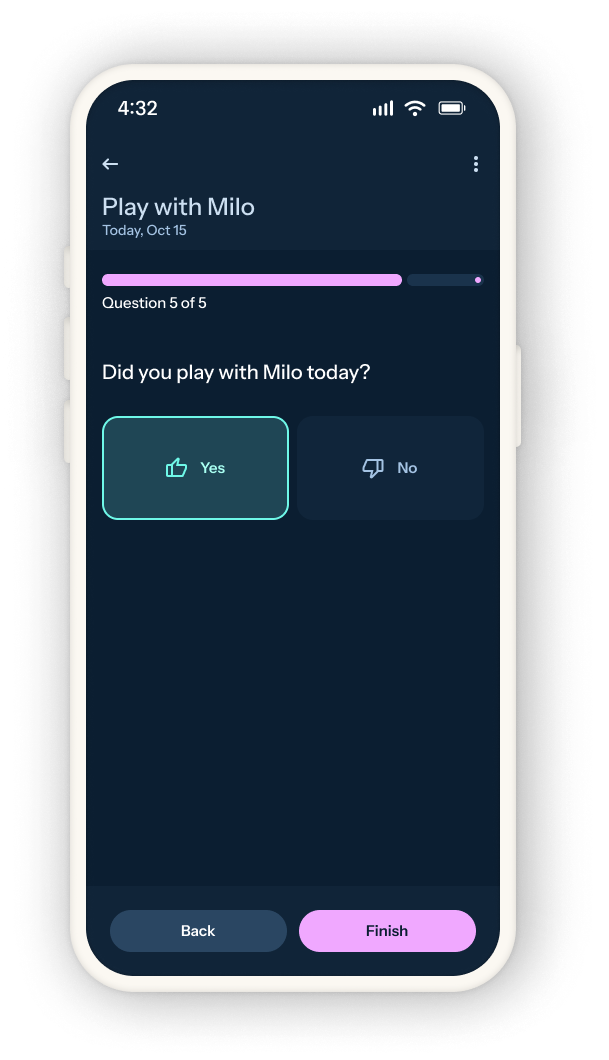
Habits that aren't quantified can use the "yes/no" pattern, and this can be further configured to only need done every X days (i.e., watering plants once per week).
Encouraging consistency (gently)
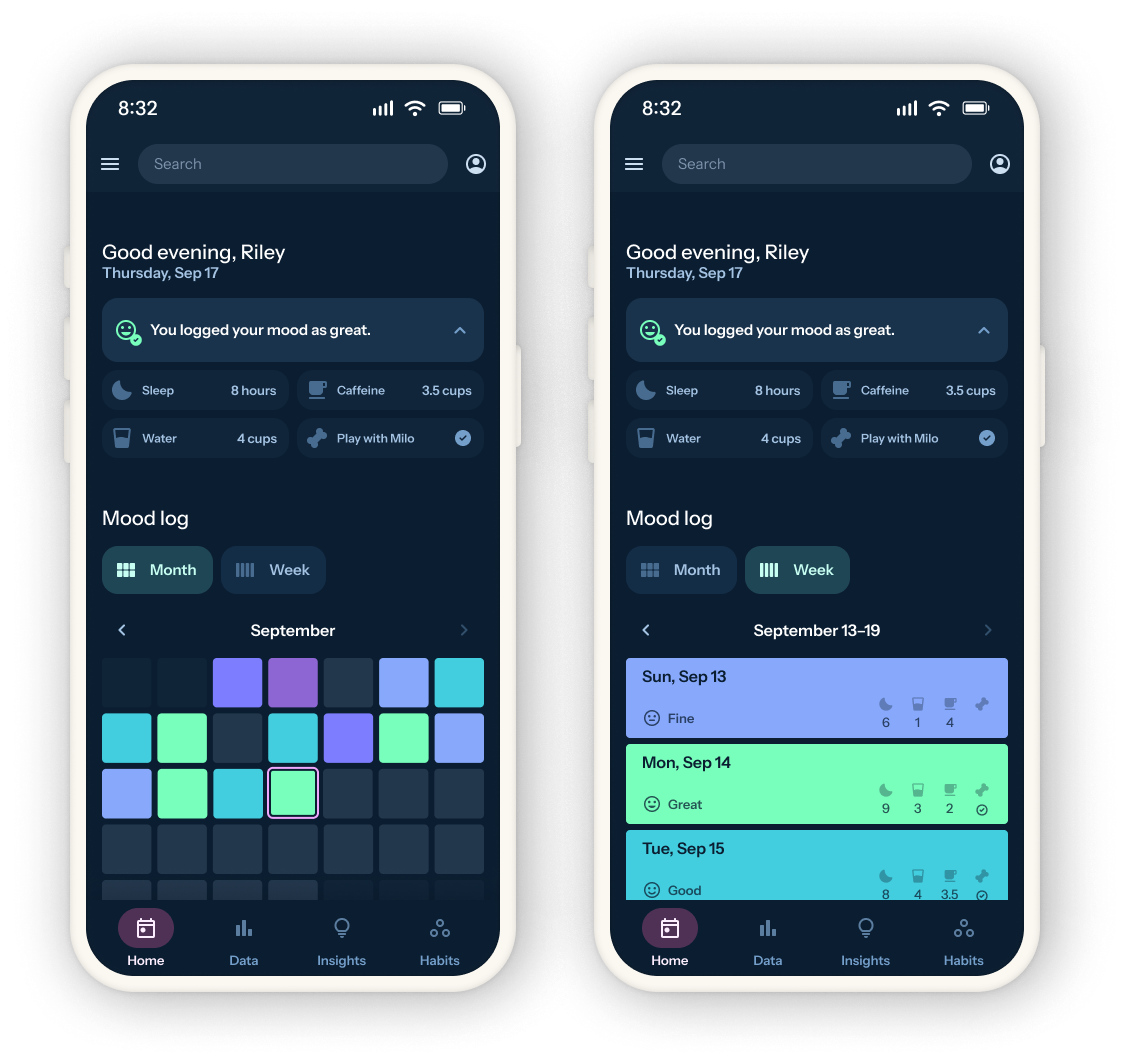
The "month" view on the dashboard shows the user's mood across the month in a grid. This motivates the user to keep up a streak of logging, but it also provides an initial impression of any trends in mood. If the goal of Everyday is to leverage habits to create better days, one should be able to see this effect in action at a glance.
The "day" view surfaces the mood logged for each day, but also adds in the recorded habits for each day. Longer-term patterns in habits can be viewed in the "data" part of the app, but this view offers a brief snapshot of one's week so far in case it is motivating.
In the original user interviews there were conflicting responses to apps that "punish" streaks being broken. To support those who found that kind of experience discouraging, the dashboard focuses on simply presenting the data. The user can certainly infer their consistency from that data, but it won't be pointed out to them.
Building for everyone
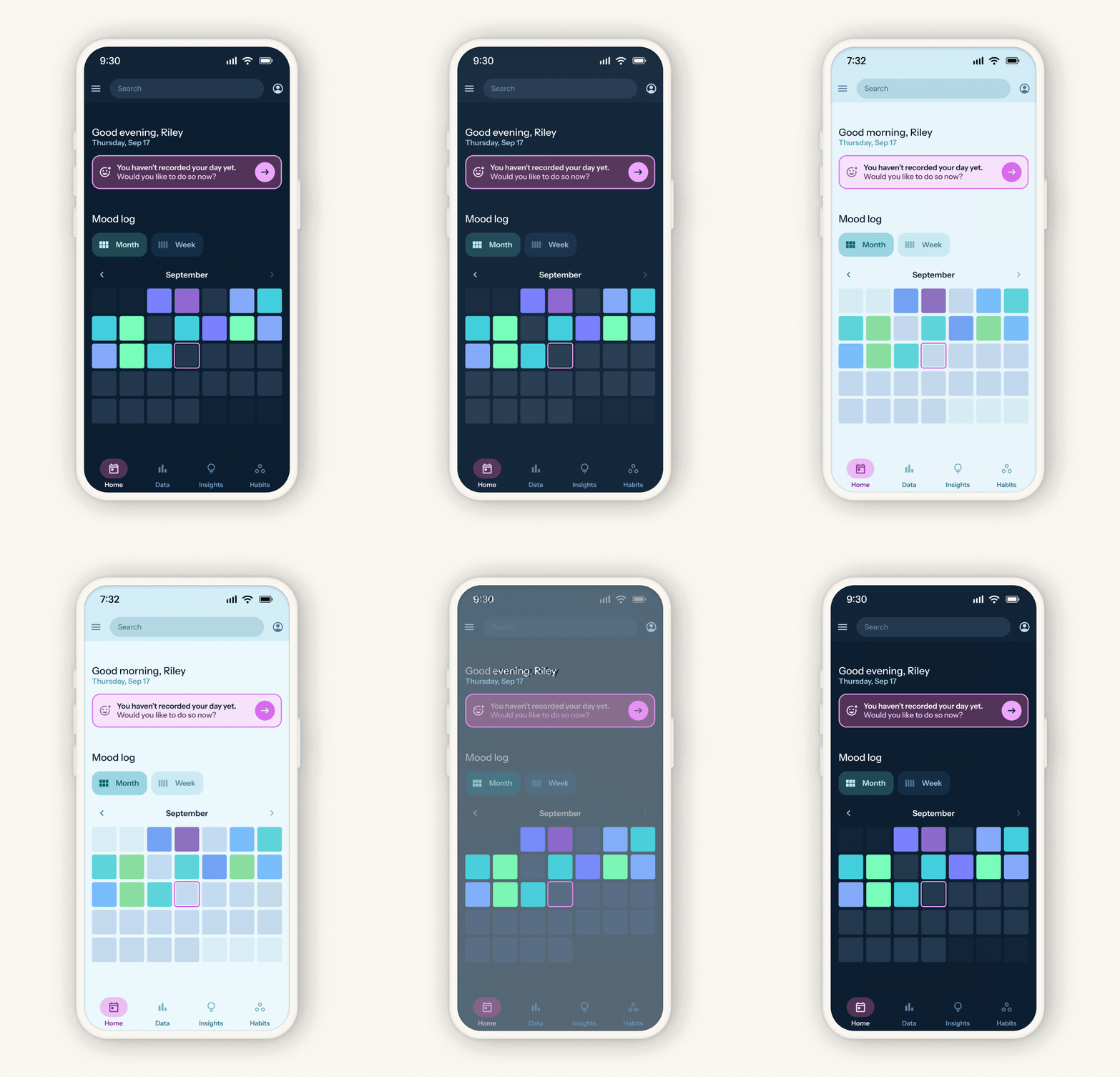
Given the range of times people anticipated using the app, users can choose between a light theme, dark theme, or dynamic theme (which toggles between light mode and dark based on time of day).
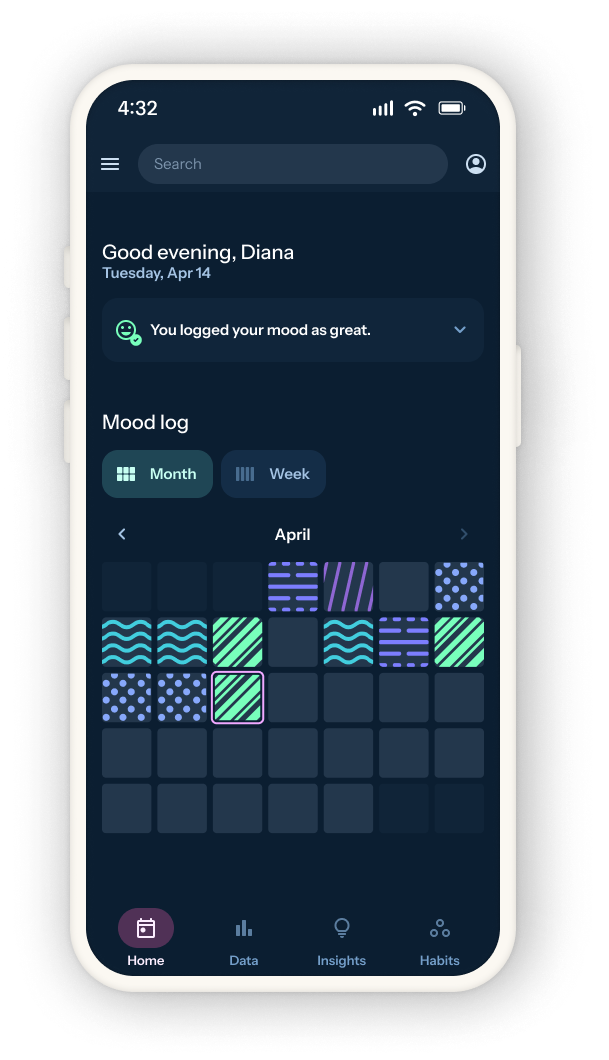
Users can choose different color palettes to represent mood, or add pattern effects to make color differentiation clearer. This is helpful for accessibility, but it also allows people to make the way their mood is represented personalized to them.